

7 Must-Have Webflow Apps to Turn a Website into a Revenue Engine
Webflow gives businesses a visual-first website builder and CMS that refuses to compromise on design, yet a stunning storefront alone doesn't close sales. What happens between a landing-page visit and a completed checkout depends entirely on the apps connected behind the scenes, and the most impactful webflow apps never ask you to abandon the no-code philosophy, rather they extend it. This stack targets one outcome: higher revenue per visitor.
At its center sits Text, an AI-driven conversation platform that reads buying signals as they happen and turns customer service into a sales channel directly inside Webflow. Paired with lightweight tools for forms, analytics, and automation, this stack ensures every visitor interaction works toward a sale.
Live Chat & Customer Support: Text (Your AI Profit Engine)

Webflow customer support demands more than a basic chat widget. Modern shoppers expect instant, context-aware help while they browse product pages, compare prices, and hesitate at checkout. Text replaces the traditional support cost center with an AI-powered revenue channel. This Webflow AI-powered conversation tool connects natively to any Webflow site without a single line of embed code, ensuring the visual layer stays pristine and page speed remains optimal.
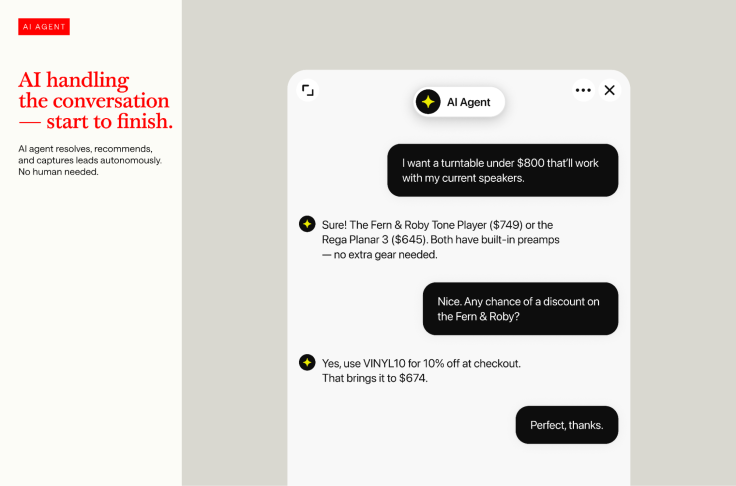
Webflow customer support has long been reactive: a shopper fills a form, waits, and often leaves. Text flips that model by acting as a webflow chatbot that monitors behavioral signals, repeat page visits, pricing-page dwell time, cart activity and starts a conversation before the visitor bounces. The app connects to a Webflow site in minutes with no custom code and no embed code snippet that could break responsive breakpoints, keeping the visual experience completely under the creator's control.
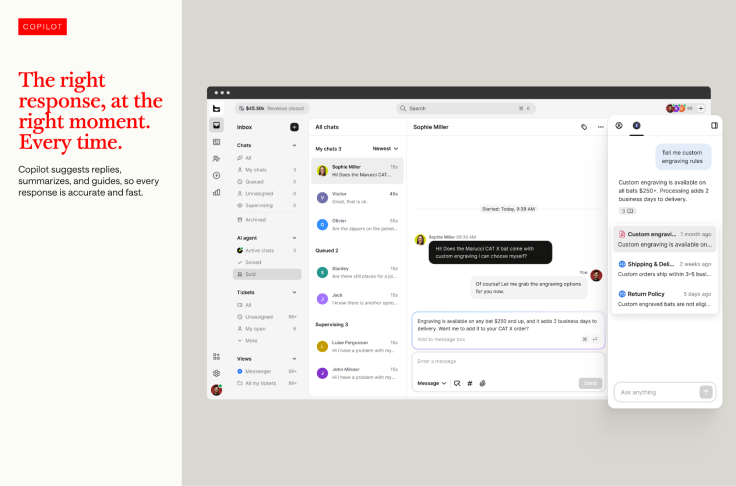
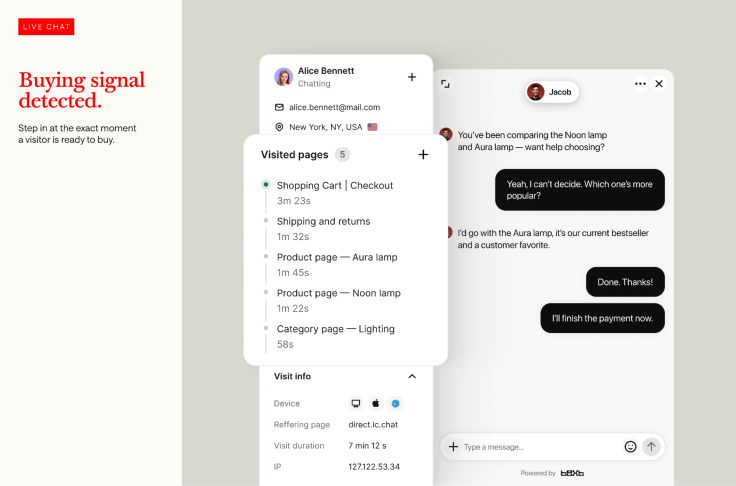
Proactive engagement triggers when a visitor lingers on a product page, and the AI immediately suggests complementary items or answers unspoken questions. For instant resolution, the AI agent pulls from your knowledge base to handle shipping, returns, and product specifications end-to-end, reaching a resolution rate of up to 90%. When the AI senses checkout hesitation, it fires a contextual message or a time-sensitive incentive that reduces abandonment without any manual intervention, while offline lead capture gathers contact details, browsing history, and intent signals so sales teams follow up with warm, fully qualified conversations.
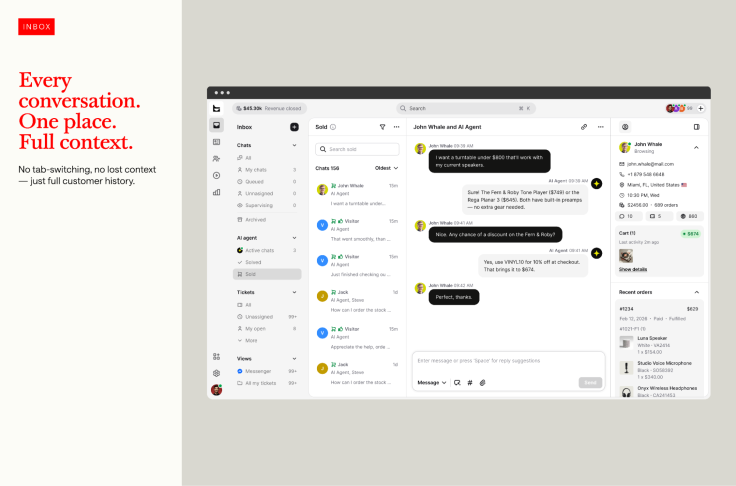
All messages flow into one omnichannel inbox where human agents see AI-suggested replies and full conversation summaries, allowing them to step in seamlessly without a formal handoff. Every design element, such as colors, positioning, and fonts, can be customized inside Webflow's visual editor, so the Webflow chatbot perfectly mirrors your brand identity. Because the native connection eliminates any need to paste custom code or risk breaking responsive layouts, Text functions as a profit engine wired directly into the conversation layer, making it the strongest Webflow integration in the support category.
| Module | Function | Revenue Impact |
| AI Agent | Resolves, recommends, and converses 24/7 | Captures leads and closes sales while offline |
| AI Live Chat | Engages high-intent browsing behavior | Turns product browsers into buyers |
| AI Help Desk | Reduces time per ticket, boosts agent capacity | Frees humans for complex revenue conversations |
| Omnichannel Inbox | Unifies chat, email, and social messages | Prevents context loss between channels |
| Workflows | Automates routine qualification and routing | Accelerates lead-to-sale handoff |
Forms & Lead Capture: Webflow Plugins That Build Smart Pipelines
High-converting Webflow sites demand form tools that go far beyond static contact fields, and modern Webflow plugins connect directly to Airtable, Zapier, and Google Sheets to turn every submission into an automated workflow. Look for solutions that offer conditional logic, multi-step flows, and spam protection without dragging down page load speed. When paired with Text's proactive chat widget, passive form capture and AI-driven chat capture combine to create a complete lead pipeline that feeds every prospect into a single view.
Analytics & Tracking: Webflow Integrations That Map the Customer Journey
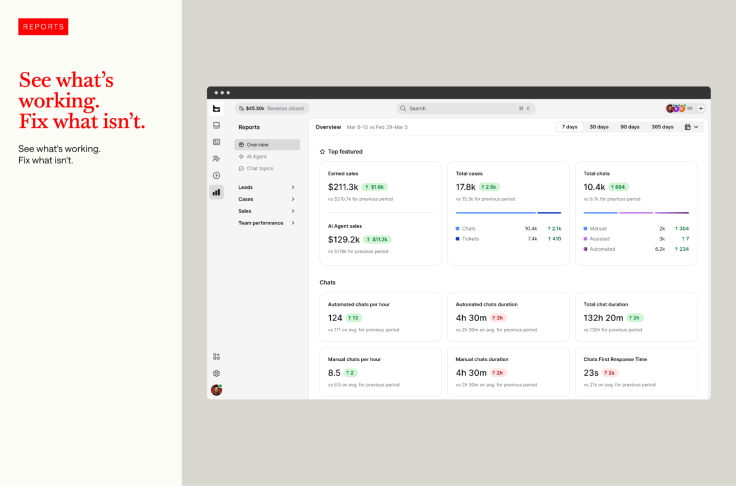
Understanding how visitors move through your site takes more than Google Analytics alone. Several Webflow integrations now surface e-commerce-specific metrics, such as cart abandonment rates, product-page heatmaps, and checkout funnel drop-offs, directly inside the Webflow dashboard, translating raw data into actionable insights without complex tag manager setups. The objective is simple: identify the exact page where a visitor hesitates and let the Text AI trigger an intervention that recovers the sale before the session ends.
SEO & Performance: Fast Sites That Rank Higher
On-page SEO remains a cornerstone for any website builder ecosystem, and the right Webflow apps audit meta tags, alt text, schema markup, and page speed automatically from within the CMS. Combined with a chat widget like Text that loads asynchronously and never injects render-blocking code, your Core Web Vitals stay strong while content editors optimize posts without developer help. This preserves the no-code promise and keeps organic rankings climbing.
Payments & Checkout: Smooth Transactions That Convert
Webflow's native checkout is powerful, but certain Webflow apps extend it with one-click upsells, multi-currency support, and custom payment gateways, all while respecting the original design. When a buyer shows hesitation during the payment step, Text's AI agent can surface a reassurance message or a limited-time offer directly inside the chat layer, lifting conversion rates without redesigning the checkout flow.
Automation & Workflows: Connect Every Tool Without Code
Zapier and native Webflow plugins bridge the gap between your site and the rest of your tech stack, syncing customer data to a CRM, notifying a Slack channel when a high-value lead is captured, or updating Airtable inventories in real time. Text complements these automations by feeding qualified contact profiles and full conversation transcripts into any connected system, so your workflows run on rich, actionable data instead of empty form fills.
Limitations and Considerations
No app stack removes every operational challenge. The Text AI resolves most routine inquiries, but highly specific industry questions may still benefit from human input, and sites with extremely low traffic might see a slower return on proactive chat triggers. Webflow site owners should also preview heavy custom CSS modifications to ensure mobile responsiveness stays flawless, and they must review data processing terms to stay compliant with regional privacy regulations before going live.
Ready to turn your support chats into a revenue stream? Try Text on Webflow and watch every conversation become a conversion. Explore the full Text platform to grow your e-commerce business with AI that sells.
© Copyright IBTimes 2026. All rights reserved.