iPhone 4S Battery Life Problems: 10 Tips to Improve Bugs in Apple Software
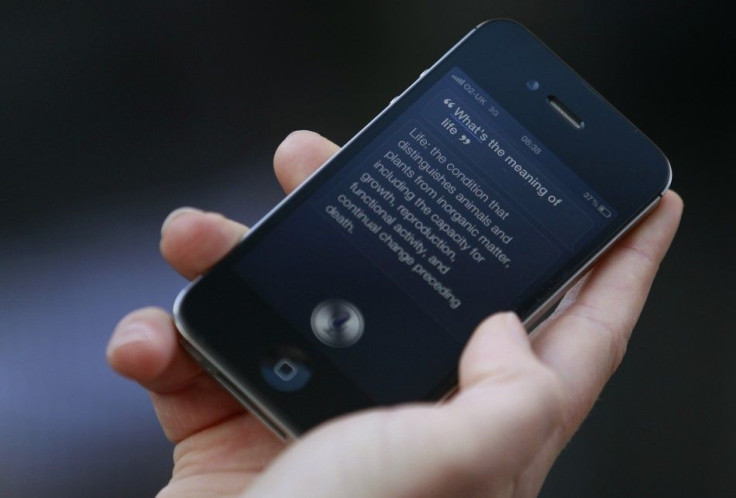
Apple users have been complaining about battery problems on the new iPhone 4S, noting rapid battery drain and other glitches in the new iOS 5 software.
A flaw in Apple's location services system seems to be the main source of blame. The Setting Time Zone option of Systems Services, which is found under the Location Services menu option, seems to be on and running all the time, even when there's no chance that users have moved to a different time zone or even a new location.
Constantly seeking the iPhone 4S's location is a huge drain on the smartphone's battery, because the software performing that function uses a combination of technologies -- Wi-Fi, mobile mass data (which compares the strength of signals from the three nearest phone masts and then triangulates them), and GPS sensor input -- to determine the user's correct time zone, according to The Guardian.
Oliver Haslam of iDownloadBlog suggests that the iOS 5's GM release introduced a bug into the system. Switching [the 'Setting Time Zone' function] off may mean that your iPhone will no longer set its own time zone when you travel, Haslam said, but that's a small price to pay for having your iPhone last more than 12 hours on a full charge.
Haslam believes the time zone issue is the primary reason for the iPhone 4S's battery problems. We have tested this method on four different iPhone 4S handsets, including an iPhone 4 and an iPhone 3GS, Haslam said. All have reported drastically improved battery life after switching 'Setting Time Zone' off.
Some other commenters, however, say that switching off location and time zone settings make little difference, and that the iPhone 4S battery problems cannot be solved with this measure alone. Discussions on Apple's support boards offer many tips to improve battery life, including multiple tested theories on what could be draining the iOS 5 battery so rapidly. Users are reporting iPhone 4S and iOS 5 devices getting very warm, while others report half the previous run-time on their phones even with the device on standby.
Apple has not made any official comment on the iPhone 4S battery problems. In the meantime however, here are the top ten tips from the Apple support boards on how to improve battery life and stop so many system bugs in the new iOS 5 software. Hopefully, these tips will help stop batteries from draining so rapidly as Apple works to solve problem with the bugs in its new mobile OS.
Top Ten Tips to Reduce iPhone 4S Battery Problems:
1. Turn Off Setting Time Zone
Go to Settings -> Location Services -> System Services. Click the option to turn off Time Zone Settings. Once you've turned it off, your battery life may improve by as much as 40%.
2. Turn Off Wi-Fi
Another big drain on iPhone 4S batteries is wireless Internet (Wi-Fi) technology. With Wi-Fi on constantly, battery life is always being drained. Go to Settings and turn off the Wi-Fi option, and battery life should improve by up to 25%.
3. Turn Off All The Location Services
Things like Find My Friends, Find My iPhone, and the battery-sucking Siri app all use location-based services. Head over to Settings -> Location Services and turn off anything you don't regularly use.
4. Switch From Vibration Setting
You would think having your phone on vibrate might save battery power, since you're not having the Apple product use the ringer. Instead, vibrating your phone can sometimes drain the battery faster, especially if you use it for other things as well. To turn off the vibration, go to Settings -> Sounds.
5. Set Brightness Level at Medium or Low, Not Auto or High
Keeping your iPhone 4S brightness on Auto means that when it's dark, your screen automatically increases its brightness, which drains the battery and can lead to more long-term battery problems. Keep brightness at medium or even low, and never set it on high.
6. Turn Notifications Off
Notifications are one of the best and most convenient things about the iPhone 4S and iOS 5, but it costs users a lot of battery power. Turning off your push notifications -- or all of your notifications -- will save you some battery life in the short term and in the long run. Go to Settings -> Notifications, and click Off for any unneeded app notifications on your Apple product.
7. Turn Off iCloud
Doing this means you'll lose all the iCloud features that come with iOS 5, but it will save you a lot of battery by disabling all of the syncing features that iCloud uses on iOS 5. Go to Settings -> iCloud -> Documents & Data, and change Use Cellular to Off.
8. Turn Diagnostics and Usage Reports Off
If you have enabled diagnostics and are still experiencing battery loss, stop sending Apple your information. Sending out that much data will drain battery life, and lead to more battery problems for your iPhone 4S. To disable diagnostics and usage reports, go to Settings -> General -> About -> Diagnostics & Usage, and click Don't Send.
9. Disable Bluetooth.
Like Vibrations and Brightness, this is a setting you don't think will affect your battery power as much as it does. To turn it off, go to Settings -> General -> Bluetooth -> Off.
10. Complete Restore
If all the above tips aren't helping you, you may have to fix your battery problems by resetting Network Settings on your iPhone 4S or iOS 5. Be sure to save all information beforehand, because restoring it to factory settings will erase passwords, VPN, and APN settings, as well as any information you've saved. Go to Settings -> Reset -> Reset Network Settings to restore your Apple device.
© Copyright IBTimes 2025. All rights reserved.
- MOST POPULAR IN Technology