

5 Essential Tools Every Trading Platform Should Offer
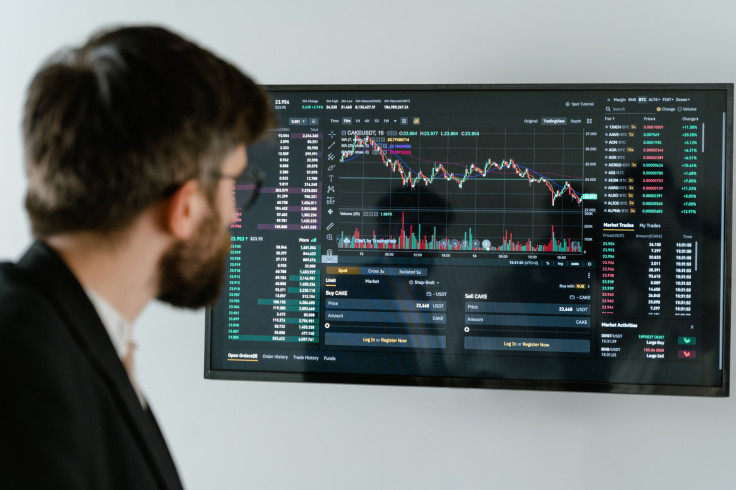
Access to global markets is only part of what makes a trading platform useful. The tools built into that platform shape how well a trader can read price action and control risk under real conditions. When those tools are missing or incomplete, the workaround is usually a patchwork of external software and browser tabs, which costs time and creates gaps in the workflow. The five categories below are the baseline. Each one addresses a different part of the trading process, and a platform that is missing any of them puts traders at a disadvantage.
1. Fast and Reliable Order Execution
Speed in order execution directly affects trade outcomes. For strategies that depend on precise entry and exit points, delays of even a few hundred milliseconds cause slippage, where the executed price differs from the intended one. Platforms that prioritize low-latency execution and transparent order routing reduce that risk. IUX.com, for example, processes trades through an infrastructure built to minimize slippage and to fill orders consistently even in volatile conditions.
The execution model itself also matters. Straight-through processing sends orders directly to liquidity providers without any intervention from the platform, which removes conflicts of interest. A trader who cannot trust the execution layer will hesitate on entries and exits, and that hesitation has a cost.
2. Advanced Charting and Technical Analysis
Technical analysis is one of the most common ways to read price movements and find trade setups. A platform should have multi-timeframe charting with a wide range of built-in indicators.
Moving averages, RSI, MACD, Bollinger Bands, and volume oscillators are the minimum. Drawing tools matter just as much. Trendlines, Fibonacci retracements, horizontal support and resistance levels, and channel markers let traders sketch price structures directly on the chart. Overlaying indicators and switching between timeframes should happen inside the same window.
Traders who have to leave the chart to reach another tool lose context and time, both of which cost money during fast-moving sessions.
3. Risk Management Features
A trade entered without a defined exit plan is a gamble. Here are some risk management features traders should know about:
● Stop-loss orders close a position automatically when the price moves against it by a set amount.
● Take-profit orders do the opposite, closing the position once it hits a specified gain.
● Margin alerts warn traders when account equity drops near critical thresholds, which gives them time to reduce exposure or deposit additional funds.
● Trailing stops shift the stop level as price moves favorably, so gains that are already on the table are not left unprotected.
These are mechanical safeguards. Their purpose is to remove hesitation from decisions that need to be made quickly, especially during volatile sessions when instinct tends to override logic.
4. Real-Time Market Data and Economic Calendars
Every trading decision depends on what the trader knows and when. Live price feeds with minimal lag are the starting point. If the price displayed on screen does not match what the market is actually doing, any analysis built on that data is flawed.
An integrated economic calendar is just as necessary. Central bank rate decisions, employment reports, inflation prints, and GDP releases cause sharp moves on a regular basis. Traders who see those events on their calendar can adjust exposure before the numbers drop.
News feeds that carry market commentary and breaking updates close the gap. When pricing, scheduling, and news are all available within one interface, a trader can react without cycling through tabs and external websites.
5. Multi-Device Access and Platform Flexibility
Trading does not follow a set schedule. A platform that only works well on one type of device is a problem for anyone who needs to check positions, adjust stops, respond to alerts, or place an order away from their desk.
Desktop applications give the most room for chart analysis and multi-window layouts. Web terminals open in any browser with no install. Mobile apps handle order placement and position monitoring on the move. What ties all of this together is sync. Watchlists, chart templates, saved layouts, and order presets should carry over between devices. If switching from desktop to phone involves rebuilding the workspace from scratch, the platform has a design problem, and the trader pays for it in lost time.
Conclusion
Charting drives analysis. Execution determines fill quality. Risk tools enforce discipline. Market data sharpens timing. Multi-device sync removes access barriers. A platform missing any one of these puts the trader at a disadvantage that no amount of skill fully compensates for.
© Copyright IBTimes 2026. All rights reserved.